
April 1 passes by, and with it, the harmless pranks and fake news that make you question everything on April Fools' Day vanish.
But cybercriminals don't get that memo.
Spring is prime time for hackers—not because teams aren't careful, but because everyone is juggling tasks and a little distracted. This perfect storm lets nearly convincing scams slip through, blending into the daily grind until it's too late.
Here are three scams actively targeting smart, conscientious employees just trying to get their work done.
As you read, ask yourself: Would everyone on my team recognize and stop these?
Scam #1: The Fake Toll or Parking Fee Alert
An employee receives a text saying:
"You owe $6.99 for an unpaid toll. Pay within 12 hours to avoid late fees."
It cites a legitimate toll service—E-ZPass, SunPass, FasTrak—matching their state. The small amount feels harmless.
Between meetings, they click the link and pay, thinking it's routine.
But the link is a trap.
In 2024, the FBI got over 60,000 complaints about counterfeit toll messages, and these frauds surged 900% in 2025. Cybercriminals have created tens of thousands of fake websites mimicking state toll services—a clear sign this scam is lucrative. Some fake texts even reach people in states without toll roads.
Why does it work? Small fees don't raise suspicion, and most people have recently paid a toll or used downtown parking, so the message feels believable.
The safeguard? Legitimate toll agencies never demand instant payment through text links. Smart companies insist: Do not pay via texts. If the charge might be valid, employees should visit the official website or app directly and never reply—even with "STOP"—since responses can confirm active numbers and invite more scams.
Convenience tempts you; strict procedures protect you.
Scam #2: "Your File Is Ready" Email
This scam blends seamlessly into daily workflows.
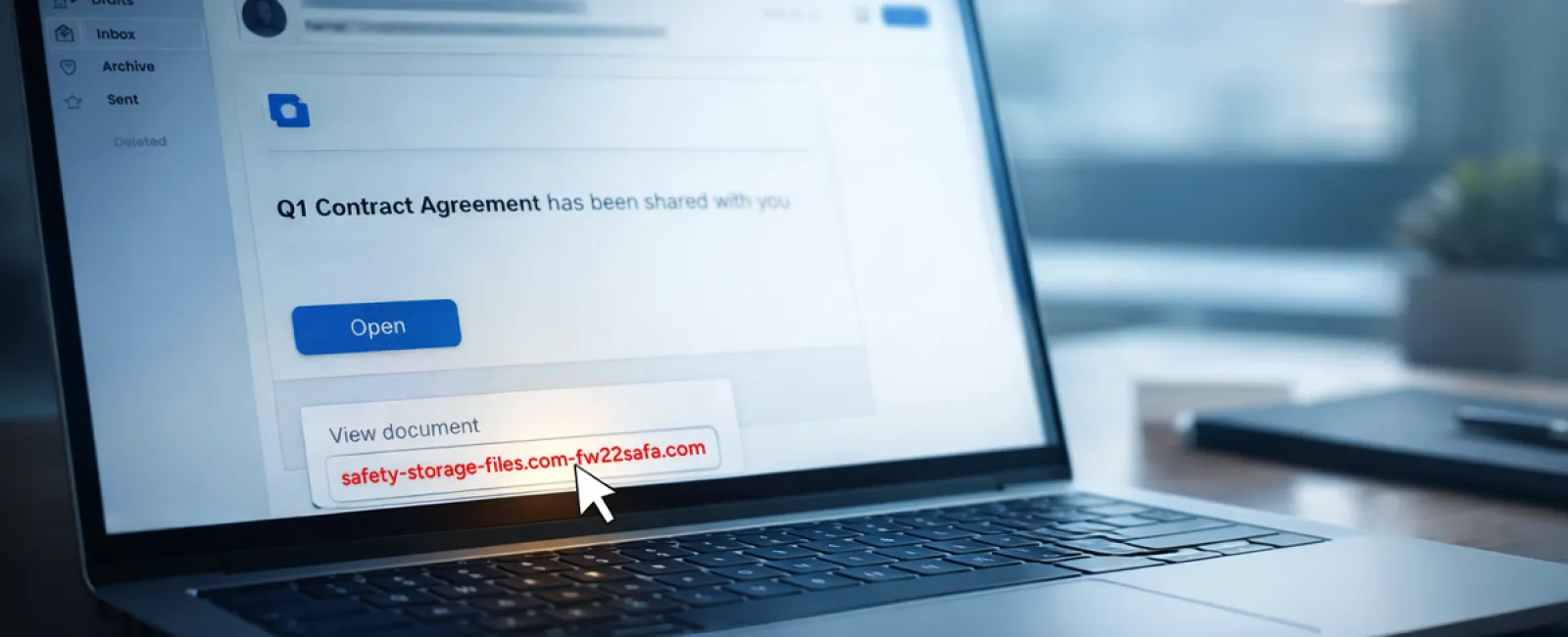
An employee gets an email notifying them a file was shared—often common items like a DocuSign contract, OneDrive spreadsheet, or Google Drive document.
The sender's name and email format appear legitimate, mimicking usual notifications.
They click the link, are prompted to log in, and unknowingly submit their work credentials.
Now, hackers have access to your company's cloud environment.
Phishing attacks leveraging trusted platforms like Google Drive, DocuSign, Microsoft, and Salesforce jumped 67% in 2025, per KnowBe4's Threat Labs. Google Slides phishing rose over 200% in just six months.
Even worse, employees are 7x more likely to click malicious links from OneDrive or SharePoint notifications than unknown emails, since the alerts look genuine.
The latest trick: cybercriminals send notifications from actual compromised accounts, so the emails originate from real Google or Microsoft servers. Spam filters don't detect them because they appear legitimate.
How to stop it: Train employees to avoid clicking links in unexpected file-sharing emails. Instead, log in directly via the platform's website. If the file is genuine, it will appear there. Also, restrict external sharing permissions and activate alerts for unusual logins—steps your IT team can complete within minutes.
Simple habits create strong defenses.
Scam #3: The Impeccably Written Phishing Email
Gone are the days when phishing emails were riddled with errors.
A 2025 study showed AI-crafted phishing emails get clicked 54% of the time—a fourfold increase over human-made ones at 12%. These emails don't look suspicious anymore. They cite real companies, accurate job titles, and familiar workflows pulled instantly from LinkedIn and websites.
Targets get custom messages: HR teams receive fake employee verifications, finance staff get fraudulent vendor payment requests. In one test, 72% of employees interacted with vendor impersonation emails—90% higher than average phishing attempts. The tone is calm, professional, and urgent, like just another routine workday email.
The protection: Verify any requests involving credentials, payments, or sensitive info via a second channel—a phone call, chat, or face-to-face. Before clicking, hover over sender addresses to confirm the domain. And always treat email urgency as a red flag.
True security doesn't rely on fear tactics.
Bottom Line
These scams leverage familiarity, authority, timing, and the urge to act quickly.
The real vulnerability isn't careless employees but systems that expect everyone to pause and flawlessly verify every time.
When one impulsive click jeopardizes your business, it's not a people failure—it's a gap in your processes.
And that gap can be closed.
How We Support You
Most business owners don't want to become full-time security trainers or add another lengthy project to their plate.
They just want assurance their company isn't silently vulnerable.
If you're worried about what challenges your team faces—or know another business that should be—you're invited to a no-pressure consultation.
Schedule a direct discovery call to discuss:
- Current cyber risks businesses like yours encounter
- Where everyday work habits can introduce threats
- Effective strategies to reduce risks without slowing productivity
No fearmongering. Just honest conversations about protecting your business.
Click here or give us a call at 316-867-4566 to schedule your free 15-Minute Discovery Call.
If this isn't for you, please share it with someone who'd benefit. Sometimes recognizing risks turns a "near miss" into a success story.


